
AI Productivity for Freelancers: ChatGPT Workflow Automation Guide
Discover how freelancers can use AI tools like ChatGPT to automate daily tasks, streamline workflows, and boost productivity with smart prompt engineering

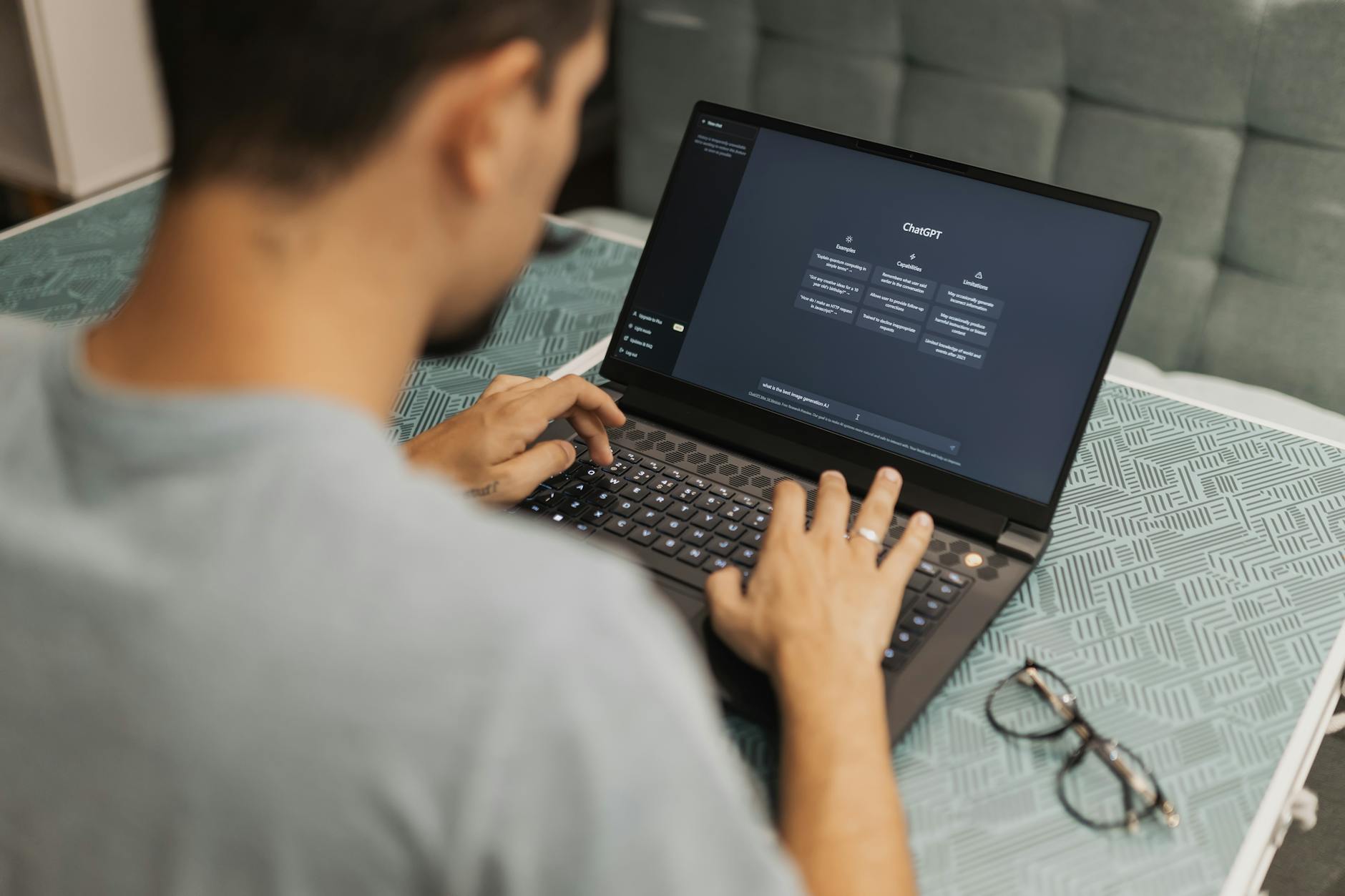
Discover how freelancers can use AI tools like ChatGPT to automate daily tasks, streamline workflows, and boost productivity with smart prompt engineering techniques.
Copy&Prompt TEAM · Published June 2025
Quick Answer
Freelancers can gain 5-10 hours per week by automating repetitive tasks with AI tools like ChatGPT, Claude, and Gemini. The key is structuring prompts for specific workflows—email drafting, content creation, client communication, invoicing—and saving them as reusable templates. Personal AI assistants handle the low-value work, freeing time for high-skill tasks.
Table of Contents
- What Is AI Productivity for Freelancers?
- Why Freelancers Need AI Tools
- Core Freelance Workflows to Automate
- Building Your Personal AI Assistant
- Prompt Engineering for Freelancers
- AI Tools Comparison Table
- Common Mistakes and How to Avoid Them
- Best Practices for Freelance AI
What Is AI Productivity for Freelancers?
AI productivity means using artificial intelligence tools to handle repetitive, time-consuming tasks while maintaining your creative control over strategic work. For freelancers, this shifts from occasional help to a structured system that supports daily operations.
Instead of switching between ten browser tabs to answer client emails, generate proposals, research topics, and format invoices, you can set up AI workflows that do the groundwork. You review and refine, rather than start from scratch each time.
The goal is consistent output quality and faster turnaround times. A freelancer using well-engineered prompts can cut draft creation time by up to 60%, according to early adopters surveyed by productivity researchers.
Key AI Tasks for Freelancers
These are the areas where freelancers report the biggest time savings:
- Email drafting and client communication templates
- Content research and outlining for blog posts or articles
- Social media caption generation across platforms
- Proposal and contract boilerplate customization
- Data entry, formatting, and spreadsheet cleanup
- Invoice generation and expense tracking assistance
Why Freelancers Need AI Tools
Freelancing demands juggling client needs, marketing efforts, financial management, and skill development—all simultaneously. Without systems, small tasks multiply into hours of administrative overhead that eat into billable time.
A study by Upwork found that independent professionals spend 30% of their workweek on non-billable tasks like invoicing, administrative duties, and communication. AI tools directly target these inefficiencies.
The Cost of Manual Workflows
Consider this scenario: drafting three client emails, creating one blog outline, formatting two spreadsheets, and updating a project tracker manually. Each task takes roughly 15-20 minutes. Total time: two hours.
With AI automation, the same tasks can be completed in 40-60 minutes with better consistency. That’s 60-75 minutes reclaimed per day, or roughly five hours per week for higher-value activities like strategy or creative development.
Stat Box
According to a 2024 LinkedIn survey of 5,000 freelancers:
- 73% reported increased productivity after integrating AI tools
- 68% said AI helped them take on more complex projects
- Average time saved per week: 6.2 hours
Core Freelance Workflows to Automate
Not every freelance task benefits from automation. The most impactful workflows share common traits: they’re repetitive, follow predictable patterns, and require minimal subjective judgment.
By focusing on these core workflows first, freelancers build momentum and confidence before expanding into more nuanced applications of AI assistance. This tiered approach prevents overwhelm and ensures tools support rather than complicate professional practice.
Email and Communication Automation
Email management is one of the fastest wins for freelancers. Whether responding to initial inquiries, following up on pitches, or sending project updates, templated responses reduce cognitive load and response time.
Set up category-specific templates in your AI tool. For example, create a prompt that generates a professional follow-up after a pitch meeting, incorporating context from previous conversations. This creates scalable client communication without losing personalization.
Content Creation and Research
Freelance writers, marketers, and consultants often need to produce multiple content pieces weekly. AI can accelerate research, generate outlines, and even draft initial sections based on key points or topics provided.
The trick is treating AI as a collaborative partner, not a replacement for your expertise. Use prompts that request analysis of sources, comparison of perspectives, or synthesis of complex information into digestible summaries.
Administrative Task Automation
Invoicing, time tracking, data entry, and file organization often fall through the cracks during busy periods. AI-powered assistants can handle basic formatting, generate standardized documents, and even flag potential issues in spreadsheets.
For instance, a prompt might clean and format client contact lists, convert meeting notes into structured action items, or extract key details from contracts for quick reference. These micro-automations add up quickly across weeks and months.
Building Your Personal AI Assistant
A personal AI assistant isn’t just about having access to powerful models—it’s about configuring them to understand your working style, preferences, and project context.
Think of your AI assistant as an extension of yourself, capable of executing tasks according to your established processes and standards. This requires upfront investment in teaching the system your tone, preferred formats, and recurring challenges.
System Prompts for Freelancers
Your system prompt acts as the foundational instructions that guide every interaction with your AI assistant. For freelancers, this should capture your professional identity, core values, and typical client interactions.
Here’s an example structure for a freelance writer’s system prompt:
Role: Professional freelance copywriter specializing in B2B technology content
Context: You support busy founders and marketing teams who need engaging, concise content delivered on tight deadlines
Personality: Direct, knowledgeable, and supportive—never condescending
Communication style: Clear and actionable, avoiding jargon unless necessary for the audience
Output preferences: Bullet points for clarity, short paragraphs, active voice
This prompt establishes clear boundaries for how the AI responds. Note the specificity of the role, context, and communication style—all elements that shape reliable output.
Custom Instructions and Memory Features
Modern AI platforms offer custom instruction fields where you can permanently set behaviors and preferences. Use these to define your default tone, preferred sentence length, and recurring project types.
Memory features in tools like ChatGPT allow the AI to remember past interactions and preferences over time. For freelancers managing multiple clients, this means tailoring responses based on previous conversations without repeating context each session.
Prompt Engineering for Freelancers
Prompt engineering isn’t just for developers—it’s a critical skill for any freelancer looking to maximize AI utility. Well-crafted prompts produce more accurate, useful outputs, reducing the need for extensive revisions.
The difference between a generic request and a precisely structured prompt often determines whether the AI delivers usable content or requires clarification. Freelancers benefit most when they learn to frame requests that align with their specific workflows and expected outcomes.
Anatomy of an Effective Freelance Prompt
Every high-performing prompt includes several essential components: a clear role definition, relevant context, a specific task, and defined output parameters.
Take this example for generating social media posts:
Role: Experienced social media manager for tech startups
Context: You're helping me promote a new productivity app called FlowState to busy entrepreneurs and remote workers
Task: Create three short LinkedIn posts announcing our latest feature release
Constraints:
- Keep each post under 150 words
- Include one relevant hashtag
- Use a conversational but professional tone
Output format: Numbered list with separate lines for each post
Notice how this prompt includes detailed context, specific constraints, and explicit formatting instructions. This reduces ambiguity and increases the likelihood of receiving exactly what’s needed.
Template Libraries for Recurring Tasks
Freelancers perform similar tasks repeatedly—client outreach, blog outlines, proposal drafts, status reports. Creating template libraries allows you to adapt a proven structure rather than starting from scratch.
For example, a content creator might maintain separate templates for interview preparation, article structuring, SEO optimization, and content repurposing. Each template contains the core elements of the workflow, leaving only variables to be filled in per project.
Variable-Based Prompting
Advanced prompt engineering involves using placeholders or variables that can be swapped out depending on the task. This makes templates reusable across different clients, industries, or project types.
Here’s a variable-based approach for client proposal generation:
Role: Freelance [PROFESSION] with expertise in [INDUSTRY]
Client: [CLIENT_NAME], a [CLIENT_TYPE] company based in [LOCATION]
Project: [PROJECT_DESCRIPTION]
Scope: The engagement involves [SCOPE_DETAILS] over approximately [TIMELINE] weeks
Budget range: [BUDGET_RANGE]
Deliverables: [LIST_OF_DELIVERABLES]
Instructions:
Generate a customized proposal that addresses the client's unique needs, highlights relevant experience, and clearly outlines the proposed approach
Variables like [PROFESSION], [INDUSTRY], and [CLIENT_TYPE] make this template versatile. Simply replace them with specific values for each new opportunity.
AI Tools Comparison Table
Different AI tools excel in various aspects of freelance work. Understanding their strengths helps you choose the right tool for each task and avoid redundancy.
| Tool | Best For | Strengths | Limitations | Pricing Model |
|---|---|---|---|---|
| ChatGPT (GPT-4) | General writing, brainstorming, code review | Excellent reasoning, long conversations, wide integration | Can be verbose, struggles with very recent data | Free tier available, Plus at $20/month |
| Claude | Document analysis, summarization, long-form writing | Large context window, excellent at understanding nuance | Occasional hallucinations, less responsive UI | Free tier available, Pro at $18/month |
| Gemini | Research, coding assistance, multimodal tasks | Strong multimodal capabilities, integrates well with Google Workspace | Limited third-party integrations, some features behind paywall | Free tier available, Advanced at $20/month |
| Ghostwriter | Social media content, marketing copy | Specialized for creative writing, good tone control | More limited functionality outside content creation | Starting at $15/month |
| Notion AI | Note-taking, documentation, team collaboration | Seamlessly integrated with Notion workspace | Requires existing Notion usage, limited standalone features | Bundled with Notion plans starting at $8/user/month |
Choosing the Right Stack
Most successful freelancers don’t rely on a single tool—they combine complementary capabilities. Start with one general-purpose tool like ChatGPT or Claude, then layer in specialized assistants as needed.
For example, use ChatGPT for brainstorming and drafting, Claude for long-document editing and summarization, and a niche tool like Copy&Prompt for storing and refining your best prompts. This multi-tool approach leverages each platform’s unique advantages.
Common Mistakes and How to Avoid Them
New users of AI productivity tools often encounter predictable pitfalls. Recognizing these early prevents frustration and helps establish effective practices from the start.
Mistake #1: Vague Prompts Lead to Generic Results
New freelancers frequently submit overly broad requests like "Write a blog post about marketing." Without context, audience, or structure guidance, AI responses lack relevance and usefulness.
Fix: Always provide specific details in prompts. Instead of the above request, try: "Write a 800-word blog post about content marketing strategies for SaaS startups targeting small businesses. Include three actionable tips and real-world examples." The added specificity produces dramatically better results.
Mistake #2: Treating AI Output as Final Draft
Copy-pasting AI-generated content directly into client deliverables undermines professionalism and quality. AI serves as a first draft generator, not a substitute for human refinement.
Establish a review checklist that includes tone adjustment, fact verification, and personal touch additions. This ensures AI-assisted work maintains your signature quality standards.
Mistake #3: Inconsistent Prompt Management
When prompts live scattered across chat histories, email threads, and notebook pages, replicating successful workflows becomes impossible. This leads to wasted time recreating effective approaches.
Fix: Centralize your prompt library using tools like Copy&Prompt, Notion databases, or dedicated prompt management platforms. Include metadata like success rate, use cases, and last updated date for easy retrieval.
Mistake #4: Over-Automation Without Human Oversight
Automatizing too many processes simultaneously creates brittleness. When one component fails, cascading errors affect multiple workflows.
Start small by automating just one or two high-impact tasks. Monitor results closely and refine processes before scaling automation further. This incremental approach builds resilience and adaptability.
Best Practices for Freelance AI Integration
Integrating AI tools effectively requires strategic thinking beyond simply installing apps and entering prompts. Sustainable productivity gains come from thoughtful implementation aligned with your business goals.Establish Clear Boundaries Between AI Assistance and Human Judgment
Define which parts of your workflow involve pure automation versus those requiring your expertise, taste, or client relationship skills. This prevents over-reliance on AI while maximizing its contribution to efficiency.
Track Time Savings and Quality Improvements
Measure actual impact by logging time spent on automated versus manual tasks. Compare output quality metrics like revision cycles and client satisfaction scores before and after AI adoption.
Maintain Client Transparency About AI Usage
Communicate openly with clients about how AI enhances service delivery without replacing human creativity. Frame AI as a tool that amplifies your capabilities rather than diminishing your value.
Regularly Update and Refine Prompts
Periodically audit your prompt library to identify underperforming or outdated approaches. Incorporate lessons learned from recent projects and adjust prompts to reflect evolving needs and preferences.
Key Takeaways
- Freelancers can save 5-10 hours weekly through targeted AI automation
- Focus on repetitive administrative tasks first for quickest ROI
- Well-structured prompts with variables enable template reuse across projects
- Multi-tool stacks outperform single-platform approaches for most freelancers
- Effective prompt management prevents workflow disruption and knowledge loss
Next Steps for Implementation
To begin leveraging AI productivity tools:
- Select one high-frequency task to automate immediately
- Create a focused prompt for that task using the template structure above
- Test and iterate until you achieve consistently good results
- Document successful approaches in a centralized prompt library
- Gradually expand automation to other suitable workflows
Once your most time-consuming tasks are automated and producing reliable results, the bottleneck shifts naturally toward higher-value strategic work—the exact sweet spot every freelancer aims for.
Improve your AI results today - Create better prompts and get more accurate responses with Copy&Prompt. Copy&Prompt →
Frequently Asked Questions
Is AI productivity safe for freelancers handling confidential client data?
Yes, when practiced carefully. Most reputable AI platforms offer enterprise-grade security, encryption, and privacy controls. Always review terms of service, avoid sharing sensitive personally identifiable information, and consider using self-hosted or encrypted tools for highly confidential material. Many freelancers successfully integrate AI while maintaining strict data hygiene protocols.
How much does it cost to implement AI productivity tools as a freelancer?
Costs vary widely depending on chosen tools and usage intensity. Basic implementations using free tiers of platforms like ChatGPT or Claude require zero upfront investment. Premium subscriptions typically range from $10 to $30 monthly per tool. Advanced multi-tool stacks with specialized assistants might cost upwards of $100 monthly, but this investment usually pays for itself within weeks through increased billable capacity.
Will AI tools make my freelance writing sound robotic or generic?
Only if you treat AI as a replacement for your creativity rather than a collaborator. The best freelance AI workflows preserve your distinctive voice and perspective by using AI to generate raw material that you then shape, refine, and personalize. Think of AI as a creative catalyst, not a substitute for your expertise and storytelling ability.
Can AI really help me find new clients as a freelancer?
Absolutely. AI tools can help craft compelling outreach messages, optimize LinkedIn profiles, generate lead magnet ideas, analyze market opportunities, and even assist with basic web scraping for prospect research. However, building genuine relationships remains fundamentally human. Use AI to scale your outreach efforts while preserving the personal connection that converts prospects into long-term clients.
What’s the learning curve for mastering AI productivity tools?
Basic proficiency with major AI platforms takes just a few days to weeks. However, mastering prompt engineering, workflow integration, and optimization strategies can take several months of deliberate practice. Start with simple tasks, gradually increase complexity, and continuously refine your approach. The productivity benefits compound over time as your skills improve.
Conclusion
AI productivity represents a fundamental shift in how freelancers operate, offering unprecedented opportunities to reclaim time while maintaining quality standards. The most successful adopters blend technical proficiency with strategic thinking, using AI to eliminate repetitive friction while preserving human judgment where it matters most.
By focusing on core workflows that drain time and energy, freelancers can transform their relationship with routine tasks. The goal isn’t to replace creative problem-solving or client relationship-building—it’s to free up bandwidth for exactly those irreplaceably human contributions that distinguish outstanding freelancers from the merely competent.
As AI capabilities evolve rapidly, freelancers who establish solid foundations today position themselves to adapt smoothly to future innovations. The investment in learning proper prompt engineering, maintaining organized libraries, and building sustainable workflows pays dividends that compound over years of professional growth.

